
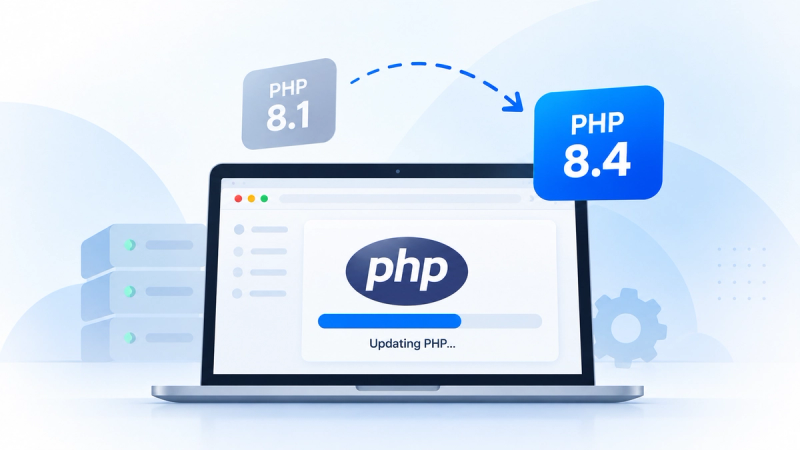
PHP Upgrade Services for New Zealand Websites
Your website is running an outdated PHP version. Maybe your hosting provider has sent a warning, a security issue has come up, or the CMS you're using needs a newer version.
The update itself might be straightforward. The concern is what happens afterwards.
Will your contact forms still work? What about customer logins, payment processing or the custom features your team relies on?
At Flight Digital, we help New Zealand businesses maintain, improve and upgrade their websites. Our PHP upgrade services cover compatibility assessments, code updates, testing and deployment planning, so you can address outdated technology without making unnecessary changes to your website.
Whether you need a security update or you're planning a larger platform upgrade, we'll help you understand what's involved and where to start.
Does Your Website Need a PHP Version Upgrade?
PHP runs behind the scenes on many business websites. It handles tasks such as processing forms, communicating with databases, managing user sessions and supporting content management systems.
Like any software, PHP needs updating. Each release has a support period, and older versions eventually stop receiving security fixes from the PHP development team.
That doesn't mean every website running an older version is automatically compromised. Some hosting providers maintain older packages with their own security patches.
It does mean you should know which version your website uses and whether it's still supported.
You may need a PHP upgrade if:
- Your hosting provider has warned you about an outdated PHP version.
- Your current PHP release is no longer receiving upstream security updates.
- Your CMS requires a newer PHP version.
- A recent vulnerability affects the PHP installation on your server.
- Plugins, modules or dependencies are no longer compatible with your setup.
- Your website relies on older code that's becoming difficult to maintain.
If you're unsure which version you're using, that's something to establish before making any changes.
What's Included in Our PHP Upgrade Services?
Not every PHP upgrade requires major development work.
A website that's been maintained regularly may only need a relatively simple update. An older application with custom code, unsupported plugins or several integrations can be more complicated.
The work depends on how the website was built, what's running on the server and which parts of the application need to remain compatible.
PHP Version and Hosting Assessment
We start by reviewing your current website setup.
That includes identifying the PHP version, hosting environment, CMS and any relevant server dependencies.
We also look at how PHP is managed. Some hosting providers control runtime updates, while other websites use dedicated servers or more complex infrastructure.
It's important to establish who is responsible for what before planning the upgrade.
PHP Compatibility Testing
Moving to a newer PHP release can expose problems in applications that were developed for older versions.
Some PHP functions become deprecated or are removed. CMS plugins may no longer be supported. Third-party libraries can also have their own version requirements.
Compatibility testing helps identify those issues before they affect the live website.
The review may include your CMS, installed modules, custom code, dependencies and important integrations.
Legacy PHP Code Updates
Older websites sometimes need development work before they can move to a supported PHP version.
For example, an application may still use functions that were removed in PHP 8, or depend on a library that hasn't been maintained for years.
In those cases, changing the server's PHP version alone won't solve the problem.
The affected code may need to be updated, replaced or refactored to work with the newer runtime.
This doesn't necessarily mean rebuilding the website. It means understanding which parts of the existing application need attention.
PHP Deployment and Website Testing
Once the required changes have been made, the website needs to be tested.
We look at the functionality that matters to your business, including contact forms, customer accounts, integrations and other important features.
Depending on the environment, the upgrade may involve staging, backups, a scheduled deployment and checks after the update.
The goal is to complete the upgrade with a clear understanding of what changed and whether any issues remain.
How Do We Approach a PHP Version Upgrade?
A PHP upgrade should be planned around the website you have, not a generic checklist.
For some businesses, it's a routine maintenance task. For others, the website has years of custom development behind it, and changing the runtime requires more preparation.
Here's how we approach the work.
1. Review Your Existing Website
First, we need to understand what's running.
We look at the PHP environment, CMS, hosting setup, custom functionality and relevant dependencies.
This is particularly useful for websites that have changed hands between developers or agencies. Important customisations aren't always documented, and some may not be obvious from the frontend.
2. Check Compatibility
Next, we assess whether the application can run on the proposed PHP version.
This may uncover deprecated functions, outdated modules, incompatible libraries or hosting limitations.
If changes are needed, we identify them before moving ahead with deployment.
3. Plan the Update
Once the requirements are understood, the upgrade can be planned.
Depending on the project, that may include preparing a staging environment, checking backups, scheduling the deployment and establishing a recovery approach.
The amount of preparation depends on the website's complexity and the risks involved.
4. Upgrade and Test
The necessary runtime, code and dependency changes are made according to the agreed scope.
Testing should go beyond checking whether the homepage loads.
A website can appear normal while a contact form stops submitting, a checkout fails or an integration no longer transfers data.
Those are the kinds of problems that need checking before the update is considered complete.
5. Deploy and Review
After testing, the changes can be deployed to the live environment.
The team checks important website functions, server errors and any issues identified during the earlier assessment.
Where ongoing maintenance is required, the update also provides an opportunity to document the environment and make future changes easier to manage.
How Do We Approach a PHP Version Upgrade?
Upgrading PHP doesn't automatically break a website.
Problems are more likely when an application depends on older code, unsupported modules or software that hasn't been tested against the new runtime.
Some common compatibility issues include:
- Deprecated PHP functions: Older code may need updating because certain functions are no longer supported.
- Outdated CMS modules: Plugins and extensions may not work with the target PHP release.
- Custom website functionality: Features developed specifically for your website may depend on older PHP behaviour.
- Third-party integrations: Payment gateways, CRM connections and other external services may need testing.
- Server configuration: PHP extensions, database drivers and related services must remain compatible.
- Unexpected errors: A newer runtime may reveal problems that weren't visible under the previous setup.
The extent of these issues varies from website to website.
A well-maintained application might need very little adjustment. An older platform can require more investigation, especially when documentation is limited.
This is why checking compatibility before making the change is worthwhile.
PHP Upgrades for Silverstripe, Craft CMS and Custom Websites
Different website platforms have different requirements when it comes to PHP.
The CMS version, installed modules, application code and hosting environment all influence which PHP releases can be used.
Flight Digital works with a range of web technologies, including Silverstripe, Craft CMS and custom-built platforms.
Silverstripe PHP Upgrades
Silverstripe websites often include custom modules, integrations and functionality built around specific business requirements.
Those components can have dependencies on both the CMS version and the PHP runtime.
An older Silverstripe installation may need a CMS upgrade before it can use a newer PHP version.
Flight provides Silverstripe development and maintenance services, including support for existing websites, platform upgrades and custom functionality.
When reviewing a Silverstripe PHP upgrade, it's important to assess the CMS, modules and server environment together.
Craft CMS PHP Upgrades
Craft CMS allows businesses to build flexible websites with custom content structures and integrations.
Its PHP requirements depend on the Craft version and the packages used by the application.
Before updating the runtime, the website's plugins, modules and custom code need to be checked for compatibility.
Flight's Craft CMS development services cover custom website development, integrations and ongoing platform requirements.
For existing Craft websites, the upgrade approach should reflect the current application rather than assuming a simple PHP version change will be sufficient.
Custom PHP Websites and Applications
Custom-built websites can be more difficult to upgrade when the original development team is no longer involved.
The application may contain older libraries, undocumented business logic, scheduled processes or integrations that aren't immediately visible.
Before recommending changes, it's important to understand how those systems connect.
Our website development team works with custom digital platforms and complex technical requirements.
For inherited applications, a technical review can help establish whether the existing system can be updated or needs wider development work.
PHP Security Updates and the PHP2Shell Vulnerability
A PHP upgrade isn't always prompted by an old website.
Sometimes a new security vulnerability makes updating more urgent.
The PHP2Shell vulnerabilities disclosed in October 2026 are a recent example.
Identified as CVE-2026-109618 and CVE-2026-109619, these vulnerabilities affect PHP's underlying runtime rather than a particular website CMS or plugin.
Not sure whether your website is affected? Read our PHP2Shell vulnerability guide to learn which PHP versions are vulnerable, how to check your hosting environment and what to do if an update is required.
This means a website may be running the latest version of WordPress or another CMS while still relying on a vulnerable PHP installation.
Security fixes were released for affected PHP branches, including PHP 8.5.12, 8.4.27, 8.3.36 and 8.2.35.
If your hosting provider has already applied and verified the relevant security patch, you may not need an additional emergency update.
However, if the website is still using an affected PHP installation, the immediate priority is to have the runtime patched.
A broader version upgrade may also be worth considering if the application relies on unsupported software.
It's important to distinguish between fixing a vulnerability and investigating a possible breach. Applying a patch doesn't remove malicious changes made before the update. Suspected compromises should be assessed by a qualified cybersecurity professional.
For current version support and release information, refer to the official PHP website.
Will Upgrading PHP Affect Your Website's SEO?
PHP upgrades don't directly improve your Google rankings.
Depending on the application and hosting environment, a newer PHP release may improve server performance. But that doesn't automatically translate into higher search visibility.
The greater SEO concern is what happens when an upgrade causes website problems.
If important pages stop loading, Google may encounter server errors when crawling the site. Broken templates, unexpected redirects or inaccessible content can also affect indexing.
Even a temporary outage needs to be handled correctly.
For websites that rely heavily on organic search, it's worth checking key technical elements after a PHP upgrade, including:
- HTTP status codes on important pages
- Website availability and server errors
- Existing redirects
- Canonical tags and indexing directives
- XML sitemap accessibility
- Contact forms and conversion functionality
- Google Search Console indexing and crawl reports
These checks help identify whether the changes have affected how visitors and search engines access the website.
Flight's technical SEO services can support the investigation of crawling, indexing, and organic visibility issues following website changes.
Should You Upgrade PHP or Rebuild Your Website?
An outdated PHP version doesn't necessarily mean your website needs replacing.
If the CMS is supported, the application is maintainable and its dependencies can be updated, upgrading the existing system may be the most sensible option.
There are cases where the wider platform needs attention.
Perhaps the CMS is no longer supported, critical dependencies can't be upgraded or custom functionality has become difficult to maintain.
In those situations, updating PHP may only resolve part of the problem.
A technical assessment should consider the existing website's condition, the cost of the required changes and how well the platform meets the business's current needs.
For some organisations, maintaining the existing system makes sense. Others may benefit from a wider development project.
The right decision depends on the application, not simply how old it is.
How Much Does a PHP Version Upgrade Cost?
There isn't a standard price that applies to every PHP upgrade.
A relatively recent website with compatible dependencies may need a straightforward update.
An older application with custom code, unsupported modules or several integrations can require much more work.
The cost depends on factors such as:
- Your current PHP version and the target release
- The CMS or framework your website uses
- The amount and condition of custom code
- Third-party dependencies and integrations
- Hosting and server requirements
- Compatibility testing
- Deployment and recovery planning
- Any development work required after the update
Changing a PHP setting in a hosting dashboard isn't the same as updating an application that can't run on the newer version.
Before estimating the work, we need to understand the website and what the upgrade involves.
Why Choose Flight Digital for PHP Upgrades?
Keeping a website running involves more than maintaining its content and design.
The software behind it needs attention too, particularly when the website has custom functionality or depends on several connected systems.
Flight Digital is an Auckland-based digital agency working with organisations across New Zealand.
Our capabilities include website development, CMS platforms, integrations, technical SEO and ongoing improvements to existing digital platforms.
That wider development experience matters when a PHP upgrade involves more than changing the server configuration.
You may need someone to review the codebase, investigate compatibility issues, work through deployment requirements or assess whether an older platform is still worth maintaining.
We can help you understand the technical options and what a sensible next step looks like for your website.
Need Help With Your PHP Upgrade?
If your website is using an outdated PHP version, or your hosting provider has flagged an update that you're unsure how to handle, get in touch.
Tell us about your website, the platform you're using and any warnings or compatibility issues you've encountered.
You don't need to have every technical detail ready. Your website URL and information from your hosting provider are a good starting point.
We'll discuss what's involved and whether your website needs a straightforward update or a more detailed technical review.
Frequently Asked Questions About PHP Upgrades
01
Yes, many PHP upgrades can be completed without causing problems, particularly when the website uses supported software and compatible dependencies. However, newer PHP versions can affect older code, plugins and integrations. Testing the application before deployment helps identify issues and reduce the risk of unexpected failures.
02
Your website should run a supported PHP version that's compatible with its CMS, dependencies and hosting environment. The latest version isn't necessarily the right choice if important parts of the application don't yet support it. As of October 2026, PHP 8.4 and 8.5 are in active upstream support, while PHP 8.2 and 8.3 receive security support only. The appropriate version should be selected after checking the application's requirements and the current PHP release schedule.
03
In many cases, yes. However, upgrading from PHP 7 to PHP 8 may require changes to older functions, libraries and application code. The amount of work depends on how the website was developed and maintained. A technical review can identify which changes are necessary before the upgrade can proceed.
04
No. PHP is the programming language runtime used by the server. WordPress, Silverstripe, Craft CMS and other platforms are applications that run using PHP. Updating a CMS doesn't automatically update the PHP runtime, and upgrading PHP doesn't necessarily update the CMS. Both need to be considered when managing website compatibility and security.
05
Sometimes. Some hosting environments allow updates with little visible interruption. Others require a maintenance window, particularly when services need restarting or application changes are involved. The approach depends on the hosting setup and complexity of the website.
06
It depends on the amount of work involved. A routine update on a maintained website may be relatively straightforward. A legacy application with unsupported dependencies or substantial custom code can take longer. Compatibility testing, development changes and deployment requirements all affect the timeframe. The website needs to be assessed before a meaningful estimate can be provided.
07
It can, depending on the PHP version, application code and hosting configuration. Newer PHP releases may offer performance improvements, but the results vary between applications. Website speed also depends on factors such as caching, database performance, frontend resources and server infrastructure.
08
No. A website using a vulnerable PHP installation may be exposed to an attack, but that doesn't prove someone has gained access. The appropriate security update should be applied and verified. If there's evidence of suspicious activity, a qualified cybersecurity specialist should investigate whether the environment has been compromised.
09
Not always. If your provider has installed the required patch and confirmed the website works correctly, additional development may not be necessary. Development support becomes useful when the update causes compatibility problems, requires code changes or forms part of a larger application upgrade.